Place Library
The Place Library is a collection of ready-made packs of reference places — counties, provinces, dioceses, ports, and the like — that you can import with one click instead of typing them in by hand.
Why?
Without the Place Library, the same real-world place risks being spelled differently depending on the day: "Örebro County" one time, "Örebro county" the next. That makes it harder to find and group places correctly. The Place Library gives you a shared, correctly spelled foundation to build on — and once it's imported, typing a place name in a form will suggest the already-imported places automatically, instead of you typing the same place in again every time.
Start by importing place packs
The Place Library contains a number of packs you can import into your app. You choose which ones you want. When you add new people, they help you fill in every place the same way, and it becomes easier to search for places later.
Where do I find it?
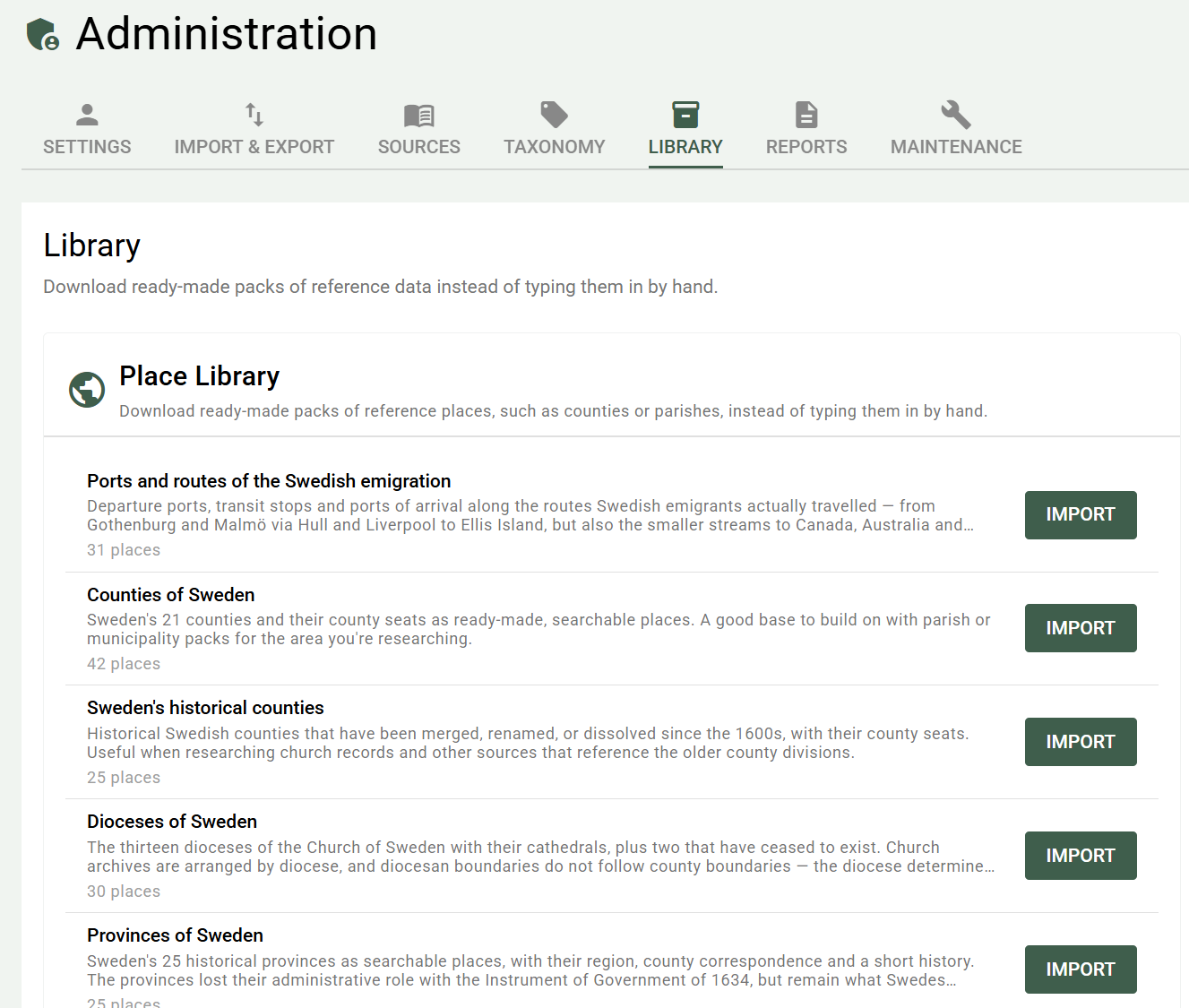
Administration → Library
How does the import work?
- Go to Administration → Library
- You'll see a list of available packs, with name, description, and place count — and, for the ones you have already fetched, when you imported them
- Click Import on the pack you want
- A progress indicator shows how far the import has come, followed by a confirmation once it's done
You can import several packs in a row in the same session — the page doesn't need to be reloaded between imports.
The number in the confirmation
The confirmation shows how many new places were added, not how many places the pack contains. If you import a pack where several places already exist in your database, the number will be lower than the pack's size — the rest were completed instead; see Already used in your own research? below.
Already imported?
Packs you have already imported are marked in the list with the date you fetched them, and the button says Import again instead of Import. You don't have to keep track of it yourself.
Importing a pack again is harmless. Places that already exist have their empty fields filled in, keep everything you have written yourself, and no duplicates are created — see Already used in your own research? below.
Every pack has a version number. If the pack has been released in a newer version since you imported it, the list says so and the button reads Update. An update brings in the places that have been added to the pack — but it never overwrites details you already have. So if a coordinate or a description has been corrected in the pack, that correction does not reach a place you have already imported.
If you undo an import the marking disappears, and the pack can be fetched again as though it had never been imported.
Which packs are available?
The library in the app always shows the current list, with name, description and place count. Packs are named on the pattern Country: Heading, with - historical added for historical divisions, so that they group by country:
- Sweden — counties, historical counties, provinces, dioceses and the ports and routes of the emigration
- Norway — today's counties (fylker) and the historical amt, which were renamed fylke in 1919
- Finland — regions, historical counties and the counties of the Swedish era
- United States — states with their capitals
The historical packs are useful when your sources — church records, old documents — give an older division than today's. The provinces are what Swedes usually name as their home region, and they appear constantly in older literature. The dioceses determine where church archives ended up, and diocesan boundaries do not follow county boundaries.
More packs will follow over time. If you have a request for a particular area, get in touch — see Contact.
One pack, one language
Every pack exists in a Swedish and an English version. The content is written in the respective language — it isn't the same text machine-translated back and forth.
The library only shows the packs in your language. Switch languages in the app and the list changes with it. So you never have to choose between two near-identical rows; you see the version that suits you.
Sources in the packs
The packs carry citations. When you import a pack, the sources are created as real sources in your database, and every place gets a citation pointing to the source its details came from.
That means you can see where a detail comes from in exactly the same way as for your own sources — and that you can build on the same source yourself if you want to.
If you already have a source with the same title, it's reused instead of a duplicate being created.
Requires internet
Unlike the rest of PastPaths, the Place Library needs an internet connection — the pack list and pack files are fetched from pastpaths.se each time you import. The rest of the app is unaffected; you can keep working entirely offline whenever you're not importing a new pack.
Can it be undone?
Yes. A place library import shows up in the same import history as GEDCOM imports (Administration → Import & Export → Import history), with the source "Place Library".
Undoing removes:
- The places the import created — but only those still unused. A place you've since linked to a person or event is never removed automatically.
- The citations the import created.
- The sources — but only those that haven't picked up any other citations since. If you've linked one of the pack's sources to a person or event yourself, the source stays.
Places that already existed before the import aren't touched at all. The pack's tag remains on them.
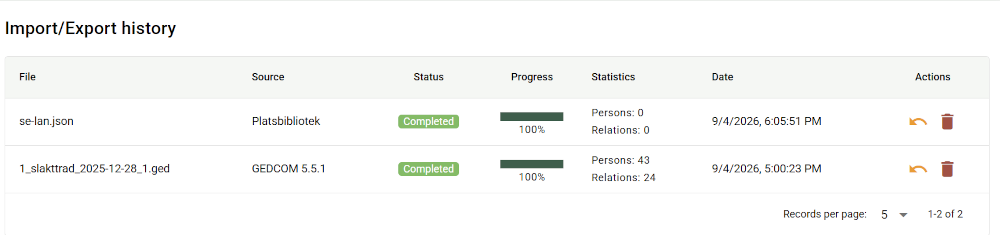
→ More about import/export history and undo
Already used in your own research?
If you already have a place in your database that exactly matches a place in the pack — for example through an earlier GEDCOM import — no duplicate is created. The library recognises the existing place and does three things with it:
- Fills in empty fields. If your place is missing coordinates, a county, or a description, they're filled in from the pack.
- Never touches filled-in values. If you've corrected a county name or adjusted a coordinate yourself, your version stays. The pack never overwrites anything you've written.
- Applies the pack's tag. So you can filter out every place the pack touches, whether it was new or already there.
The place isn't counted as new in the confirmation, however, since it wasn't added.
Tags from the packs
Every pack applies a tag to the places it touches, in the form -seed-se-county-en. The leading hyphen sorts automatically generated tags to the top of tag lists — handy when you have many tags of your own and want to find the machine-applied ones first.
→ More about tags and system tags
Where do the imported places show up?
Just like any other place, under Places.
An imported county shows up directly at the county level in the place hierarchy — not hidden under an "unknown place" group — since the Place Library knows the place is the county, not a place located within it. The same goes for provinces and dioceses: they appear as rows of their own at the county level, with their county seats and cathedrals beneath them.