Settings
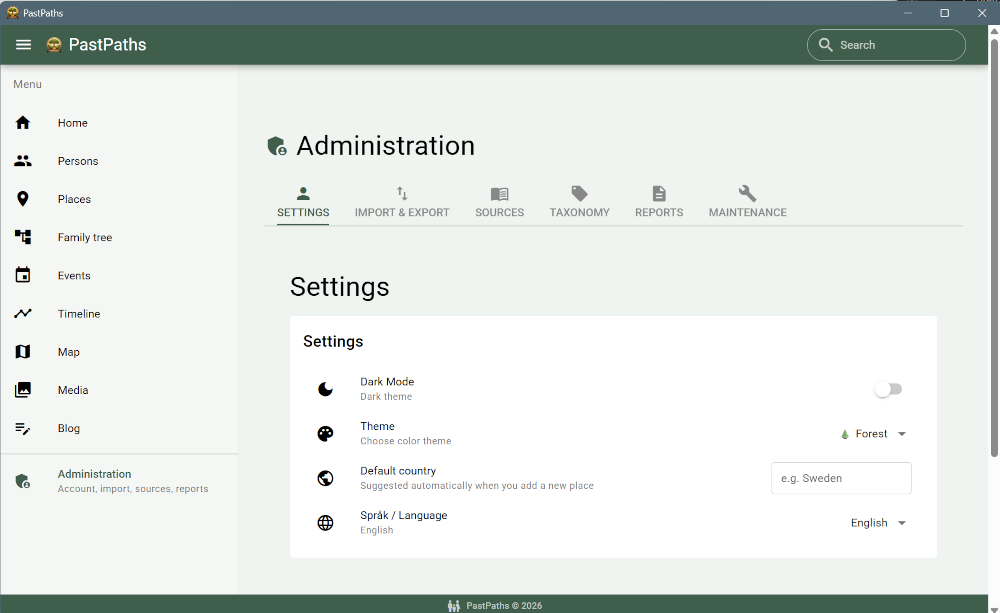
This is the place for the app's settings.
- Basic settings — if you're not happy with the default green theme, you can switch to a different one, or switch to dark mode if that's easier on the eyes.
- Default country — to avoid writing a country for each location that is created, you can set the country. If you work with people with addresses in another country, just enter another country instead.
- Language choice — if you want to use another language (English and Swedish are available for now).
- Submitter — your own details when you share your research, see below.
Submitter
The Submitter card is about you, the person sharing the family tree. Everything is optional and is only stored on your computer. Fill in what you want:
- Name
- Address — several lines are fine
- Phone
- Website — with or without
https://, but with a dot in the name, for exampleexample.com
Click Save details.
The details are only used when you choose:
- In the GEDCOM export, all the details are written as the file's submitter when the Include my details as submitter box is checked. It's checked when you've entered a name. → The export dialog
- On reports and printouts, your name, email, and website are shown when you check Show on reports and printouts: in the footer of the reports, on the metadata page of the family tree PDF, and at the bottom when you print an image with details. Below the checkbox, you can see what the line will look like. Address and phone are never shown on printouts.